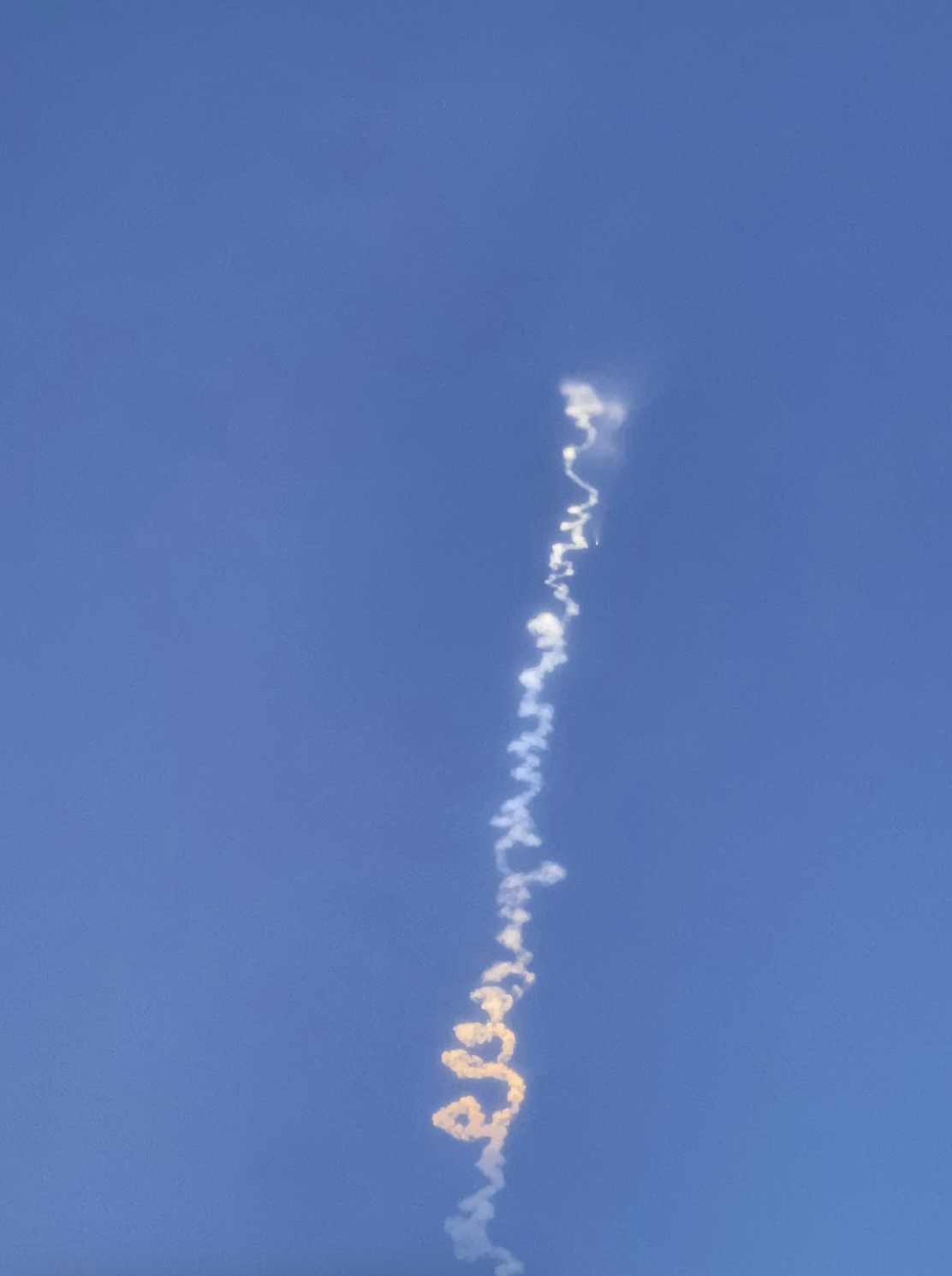
Launch
Life near(ish) to a Space Force Base!


Farewell my little work from home setup.
It’s been a year and I’m so done with this tiny desk in the darkest corner of the bedroom. Zoom after zoom. The constant apologies for the dogs barking every time the squirrels crossed the front yard and the background roar of the gardener’s weed-eater twice a month. This little corner of our house has been all things over the past year, work, school and a lifeline searching for eggs and toilet paper. It has been one heck of a year.
Getting back into the routine of leaving the house every day has been unexpectedly therapeutic. The pandemic blah best described in the Atlantic article “There’s a Name for the Blah You’re Feeling: It’s Called Languishing” is, for the most part, now gone. Replaced by the familiarity of the morning commute, the dropping off of Kid2 at school on the way to the office and the saying hello to people in person, even if from behind a mask.
With Kid1 getting her first dose of Pfizer this week, the one remaining hurdle to feeling like the pandemic is truly in the past is vaccine authorizations for under 12 year olds so Kid2 can join the rest of us in our COVID-19 immunity life. Until then, she’ll keep wearing her mask when we are out in public and we’ll keep reassuring her that she’ll be ok. With vaccinations up, community spread way down and summer upon us, I am hopeful for the future post-pandemic world.
Shelter-In-Place, Day: Who Knows Anymore, Really.

I ate cake this week. Not remarkable in and of itself. I like a good piece of cake. What hit me half way through the very nice slice of vanilla was that I was eating this particular piece of cake outside of my house with people who were not my immediate family. I can’t remember the last time I ate anything outside of my house, let alone with people not in my immediate Shelter-In-Place cohort, so this was one of those “new reality” moments for me. And for the record, it was a birthday celebration for a co-worker, at work, with proper physical distancing (not a COVID-19 party). And it was a bit awkward. Not because it was a birthday celebration. We used to have those at work all the time.
The awkwardness came from the dance of the physical distancing.
The 6 feet rule, the figuring out how to cut the cake for people who shouldn’t be using shared use items – pass the knife or pass pieces of cake? Trying to only touch one of the plastic forks when pulling it out of the box, unmasking to eat, re-masking to get seconds (yes, seconds!). Ok, it was more than a bit awkward, it was very awkward.
It was that kind of awkwardness like learning a new martial art. At first, you don’t know where your hands or feet should be, or which foot to place your weight on when, or how to move from point a to point b without looking like the tin man in need of oil. Those everyday things you take for granted like moving your arms and legs take conscious mental effort. Everything feels off. But then, after practice and repetition, it starts to become natural, and soon, conscious thought becomes routine and instinctive. Things start to FLOW.
There was no FLOW in eating cake this week, but I am ready to practice and repeat until it is as natural as walking again.
Coming back to school campuses in the fall is going to be awkward. It’s going to feel off. Initially, it’s going to take conscious thought, practice and repetition to do simple things we used to take for granted. We are going to have to be prepared to relearn how to do so many things. For all those thinking about jumping right back in to curriculum and content if/when we’re back on campuses, slow down. Take a step back. Deep breaths. We’re going to have to relearn how to walk again before we can run. But once we do, I’m confident we’ll be off to the races.
It’s just going to take some time before we all find FLOW.
What will school look like in the fall?
That is the million dollar question. Just as districts were taking a breath from getting distance learning programs up and running to start looking at possibly delaying school starts to allow time to prepare for what opening school might look like during a pandemic, the Governor announced the possibility of schools resuming in July. Needless to say, that was a surprise to everyone.
Whenever it happens, reopening schools during a pandemic presents unprecedented challenges with complex variables that are changing day to day. The answer at this point to what it will look like is – it all depends. It’s going to depend on several factors outside of individual school district’s control, many of which districts simply do not have enough information yet to even define, let alone plan against. What we do know is that when we return in the fall, school will not look like it did when we left it in March. Some assumptions districts can make that will drive how different school campuses could look include:
What we do know is that when we return in the fall, school will not look like it did when we left it in March.
In looking at the unknowns and the options, one safe assumption at this point is that distance learning will be with us for the duration. Given that assumption, what do we know? We know how to do distance learning in a blended format. There are several good models for blended learning; however, they tend to rely on students having made the transition from learning to read, to reading to learn. Blended learning also works best when students have been prepared to be self directed learners, which is a learned skill set all in itself.
Distance learning will be with us for the duration.
In looking at how best to implement blended learning to meet the COVID-19 pandemic crisis, we can’t simply think of taking what we have done in person and transferring it to an online space. There are many, many examples from the past decade of that approach not working. Distance learning, by definition, will look different from face-to-face learning. The temptation to fit the square peg of in-person school into the round hole of online learning will be great. I am hopeful that our statewide leaders realize the folly of this thinking and have tasked themselves with thinking outside the box. More appropriately, they should be getting rid of the box and building a new structure to both meet the moment and for the future with core principals of health, safety and student centered learning.
Access and Devices have to be a given if we are to talk about how to effectively continue to educate students during this crisis.
I haven’t addressed Access or Devices up to this point. The California Department of Education (CDE) and the Governor have spent the majority of their talking points about education during this crisis focused on the problem of Access. Access and Devices have to be a given if we are to talk about how to effectively continue to educate ALL students during this crisis. What I have heard less of from the CDE and the state is about providing professional development for teachers and administrators on how to effectively transition decades of face-to-face pedagogy to a blended learning model. But for now, I will put both major challenges aside except to reiterate, students and teachers need Devices and Access first and then everyone needs training if we expect distance learning to be effective.
Once Access, Devices and Training are addressed, how successful and effective school districts are at transitioning to blended learning will primarily depend on how much structural and regulatory flexibility the state and federal governments provide to meet this moment. Some of the structural hurdles to transitioning the entire school system to blended learning over summer include:
These structural hurdles are not new to blended learning. They have been with us since the early days of trying to bolt online instruction onto a 150 year old education system. They are now however, much more critical to recognize and address as we move forward with continuing to effectively educate 6 million students during this crisis.
Despite the moves to reopen the economy, these are still early days of the crisis. The virus isn’t gone. We are still operating in crisis management mode and will be for the foreseeable future. That means addressing new challenges on a daily basis. After ensuring emergency remote learning is happening through the end of the current school year, the next immediate challenge for schools is that districts only have a few more weeks left in the operational year to start making substantial plans for fall. By now, schools would have already planned out their schedules, staffing and supply orders for next year. Unfortunately, for reasons I am attempting to articulate here, districts are essentially in a holding pattern pending guidelines from the CDE and public health officials and state budget projections.
“There are known knowns. There are things we know we know. We also know there are known unknowns. That is to say, we know there are some things we do not know. But there are also unknown unknowns, the ones we don’t know we don’t know.” – Secretary of Defense, Donald Rumsfeld
Districts can go through the motions of planning, and some currently are, but the best planning in the world would be pure conjecture right now given the magnitude of what we don’t know. There are many known unknowns:
In looking at what bay area districts do know about expected school budget cuts and current social distancing requirements for childcare programs, extrapolating those requirements to school classrooms in the fall, I can realistically only see one option at the moment:
Districts will have to start school mostly online. The exception will be self contained special education classes, which may return to schools with social distancing in place and probably consolidated on specific campuses for safety and efficiency. To meet the needs of working families, child care programs might utilize school facilities. Districts will continue to provide meals to the community. Budget cuts will impact district’s ability to provide professional development and support for transitioning to blended learning.
Basically, districts will do what they have always done. They will do their best to fit the square peg in the round hole. One advantage to this scenario is that districts can start planing for it now, because it looks similar to what they are currently doing in this time of Emergency Remote Teaching.
The more optimistic and hopeful scenario would be a major reimagining of school around a set of guiding principals. Within the next few weeks, districts would be freed from the constraints of current federal and state requirements that reinforce the 150 year version of what school has been and given local flexibility to meet the needs of the moment in their communities. Heresy, I know, but in this scenario, “school” would be tailored by local educators to individual student learning outcomes, something for which blended learning is particularly well suited. The traditional structural constraints on learning of time and space would no longer serve to impede the ability to meet the needs of individual students. Student learning would drive the structure. We would see targeted instruction based on student need vs. instruction directed at entire grade levels. We would see rich feedback loops and self directed reflection on learning. We would see authentic learning and engagement based on student interest and community connections. In short, all of the things that educators have been talking about doing for years to improve student outcomes would be on the table in meaningful ways.
“Never allow a crisis to go to waste,” – Rahm Emanuel
We’re at a moment in history where we can choose to meet it with hope and optimism for a better future or, we can continue to long for the past and try to make the old ways work under unprecedented circumstances. I hope that collectively, in this moment, we choose a better future for our new normal, both for our society and for our schools.
So, what am I missing? What are the Unknown Unknowns out there? Comments welcome.
And once again, I’ve neglected to address what primary education looks like in a global pandemic, shelter-in-place world. Maybe in the next installment of blogging while #StayingAtHome. In the meantime, stay safe.

I’ve read this twice, but I know I’m going to either miss something you wrote, or miss something you didn’t write, but here are some “known unknowns” to me:
1. How big of a gap was created and how much trauma was endured by our students during this quarantine and pandemic?
2. What is happening to our students without the normal SEL support structures in place. Having drive up food service is nice, but it’s not the same as breakfast, lunch, snack on a school campus. High school students can’t just walk to the counselors office, or see them walking around the school. Students can’t drop by and talk to me about an issue they are dealing with. I can’t just share food with students who are hungry, or make tea for students who are sick.
3. How many students and families will decide not to come back to their local public school at all? How many private all-online charters or pure private schools will offer something that students and parents want in their local public schools. What are those things they want?
4. How many districts are surveying their students and families right now seeing what’s working and not working.
5. What forms of institutional racism and prejudice were compounded by the decisions we made during this quarantine?
Wow. We went from planning for schools to shutdown, to schools being shutdown, to being sheltered in place for a few weeks to being told to stay at home indefinitely. And that was all since just last week.
I was going to venture out to look for bread and eggs this morning (failed at two attempts yesterday), but I’m not ready for more disappointment just yet. We still have toilet paper, so I decided to revive my blog instead. There is a lot on my mind at the moment.
“No plan survives contact with the enemy.”
– Helmuth Von Moltke
School districts everywhere are scrambling to figure out how to educate thousands of students in their homes. Distance, online, flexible, at-home (my personal favorite) learning is the new reality and after a decade of talking about the importance of EdTech, we’re now living it. If only we’d seriously invested in modernizing our education system and keeping pace with the rapid change in the world outside the classroom walls, we wouldn’t all be scrambling now in the face of COVID-19. But I digress.
We’re in this thing now and I have concerns. Concerns about expectations. Concerns about access. Concerns about up-skilling staff. Concerns about everyone’s wellbeing and home situations. Serious concerns because a lot of education leaders right now are thinking that teachers and kids are going to do the exact same thing online that they were doing a few weeks ago in their classrooms. That approach will break the public education system as we know it. Because the truth is, the current education system is from a different era. It’s a throwback to a world without the Internet, or SnapChat, or X-Box, or Facebook, or YouTube. The modern education system was already crumbling under its own weight of legacy and obsolescence.
“If we teach today’s students as we taught yesterday’s, we rob them of tomorrow.”
―
What makes school, SCHOOL? Every educational leader thinking about how to educate their kids remotely should take a moment and read Will Richardson‘s book Why School. Seriously, go read it. If you’re a teacher, gift a copy to your administrator. It’s a sound investment in the future. Here’s why. Let’s do a thought experiment. How many of your students would come to class if they didn’t have to?
How many of your students would come to class if they didn’t have to?
That’s it. That’s the question, because when you are in #StayAtHome, the compulsory in compulsory education goes out the window. Kids don’t have to come to school for the foreseeable future. Planning to take online attendance for participation? Great, let me know how that goes for you. Expecting to hold kids accountable with grades? Awesome, except for all the kids who have absolutely no support systems at home. Lets widen that equity divide a bit more, shall we?
“Focus on the good parts of learning and not the bad parts of school”
– Mike Vollmert Ed.D
Right now, in this moment, we need to ask, what makes school matter for kids? And guess what, there is no universal answer. As leaders, this is our challenge. How do we engage every student in LEARNING. It’s not about doing school online, it’s about CONTINUING TO SUPPORT STUDENT LEARNING AT HOME. School as we know it is really just a framework, a construct we created as a society 150 yeas ago to educate the masses. It’s time to drop the crazy idea that we can expect kids to learn while sheltered in place at home the same way they did when they were compelled to attend physical school. Every student is on their own personal learning journey. We need to engage them where they are on that journey and help them get to where they need to be.
Here’s another thought experiment. What does school look like when any student can get up and walk out of the classroom whenever they want? A lot of what we think of as doing school in a face-to-face environment is really about compliance. Think about it. Our classroom structures, routines and rules are generally designed to reinforce compliance in the physical space.
What does school look like when any student can get up and walk out of the classroom whenever they want?
Paper Packets vs. Online Learning. I do have thoughts on this. Maybe I’ll write about it tomorrow. The one thing I would say now is COVID-19 is an Infectious Disease. You might be able to send a few weeks worth of packets home initially, but the logistics of maintaining that over a prolonged period of time are considerable. And no, we can’t expect every family to have access to a printer at home to print out our PDFs.
While we as a species do not face an existential threat from this pandemic, our public education system most certainly does. Many educational leaders are just waking up to this realization. The bottom line is this: the task before us is monumental. This crisis is exposing the systemic inequity inherent in our education system like never before. This is the new normal. As communities with vested interests in our children continuing to engage in learning over the weeks and months ahead, we have to start shifting our paradigms of school and we have to shift them rapidly. I believe that together, as educators, we can rise to the challenge. Because really, what other choice do we have?
(To all the elementary folks out there, forgive me, I have my high school teacher lens on at the moment. For primary, I believe the most critical thing we can do now and always is make sure our kids can read. How we do that remotely is for another post. I have ideas, but would love to hear yours as well. We’re all in this together).

Thank you for the information above it goes without saying
I truly believe in education so it is our duty as parents and teachers
To emply our tasks at hand.

Thank you for sharing this insightful post! As I adjust both my professional and family life to this new normal, I can’t help but think that our education system as a whole has been presented with this challenge at an interesting time. Ten years ago, mass-scale at-home learning would have been, for the most part, unthinkable. Ten years from now, it may be commonplace. But right now, however, public education finds itself someplace in between, where some forward-leaning organizations may just be able to make it work. In short, at-home learning right now is in our proverbial “zone of proximal development.” :-)
Cheesesteak! #notatiste19 #foodwars pic.twitter.com/ODfhm45Wt2
— Andrew T. Schwab (@anotherschwab) June 23, 2019
https://platform.twitter.com/widgets.js
Source: @anotherschwab June 23, 2019 at 12:11PM
More information Your Website/Page Anchor Text Here
Ok #NotAtIste19, let's make some cheesesteaks! @jcorippo #foodwars pic.twitter.com/iLyN9QFobV
— Andrew T. Schwab (@anotherschwab) June 23, 2019
https://platform.twitter.com/widgets.js
Source: @anotherschwab June 23, 2019 at 12:00PM
More information Your Website/Page Anchor Text Here
Step 2: Toppings! #foodwars pic.twitter.com/dZ94bIhGM1
— Andrew T. Schwab (@anotherschwab) June 20, 2019
https://platform.twitter.com/widgets.js
Source: @anotherschwab June 19, 2019 at 07:49PM
More information Your Website/Page Anchor Text Here


 Carlos Romero are discussing.
  There is no box
Reply